
API keys
API keys let your servers manage a project’s users. API keys and scopes explains what a key can do; this page shows the console steps. Owners and developers can create keys; viewers can only see them.
Create a key
Section titled “Create a key”-
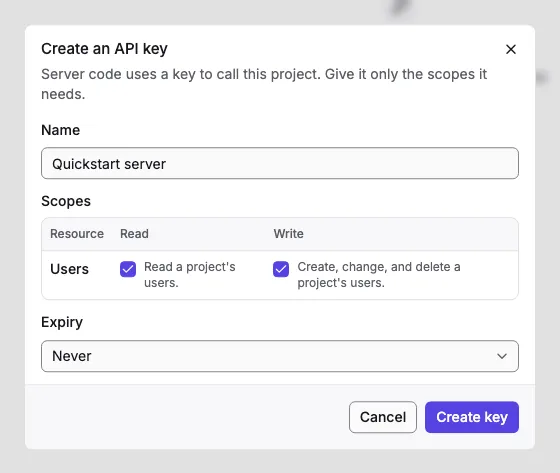
Open the project’s API keys page and select Create key.
-
Name it after the server that uses it, so you can tell keys apart later.
-
Tick the scopes it needs. Read and Write are separate: a key that creates users and reads them needs both.
-
Choose when it expires: Never, 30, 90, or 365 days, or a date of your choice.
-
Select Create key.
-
Copy the key, which starts with
orv_sk_, and store it in your server’s secrets. The console never shows it again. Tick I’ve copied this key and stored it safely, then select Done.
The key list
Section titled “The key list”The list shows each key’s name, the start of the key (such as orv_sk_Xy3aB…), its scopes, when it expires, when it was last used, and who created it. Last used helps you find keys nobody needs anymore.
Delete a key
Section titled “Delete a key”Select Delete on its row. Anything using the key stops working at once. Owners can delete any key; developers only the keys they created. Delete a leaked key right away, then create a new one for the server that needs it.