
Flutter quickstart
You build a Flutter app where people sign up with an email and a password, sign in, see their name and email, and sign out. It uses orvano_flutter 0.2.0, runs on the web, iOS, and Android from one codebase, and keeps the session in the platform’s secure storage (the Keychain on iOS, the Keystore on Android). It takes about fifteen minutes.
The finished app is examples/flutter-quickstart in the Orvano repo. Every file below comes from it, and CI runs it on every change, on Chrome, and every night on the iOS simulator and the Android emulator.
1. Start Orvano
Section titled “1. Start Orvano”If Orvano isn’t running on your machine yet, run these three commands. Run Orvano locally explains each one.
mkdir orvano-local && cd orvano-localdocker run --rm --user "$(id -u):$(id -g)" -v "$PWD:/install" ghcr.io/orvanohq/orvano:0.2.0 install --local --yesdocker compose up -d --waitmkdir orvano-local; cd orvano-localdocker run --rm -v "${PWD}:/install" ghcr.io/orvanohq/orvano:0.2.0 install --local --yesdocker compose up -d --waitYou should see every service report Healthy, and the console open at http://localhost:7700.
2. Set up your project in the console
Section titled “2. Set up your project in the console”-
Open the setup link the installer printed and create the first admin. You land in your personal org.
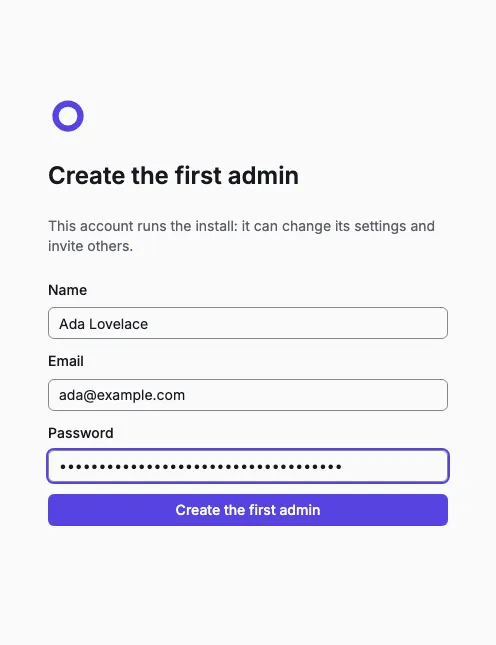
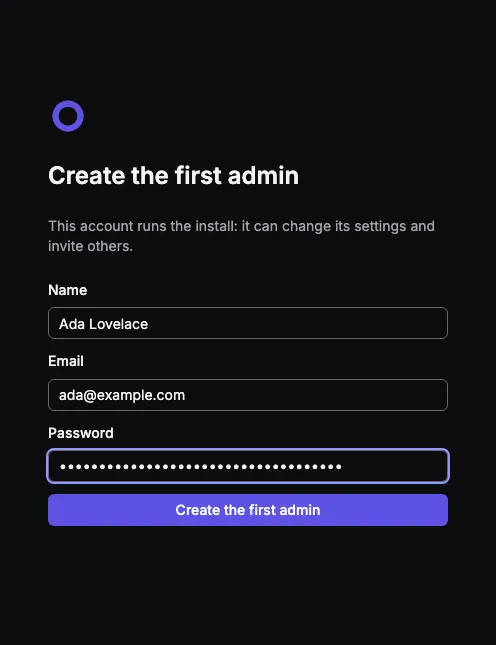
-
Select Create project, name it, and select Create project again. Setting it up takes a few seconds.
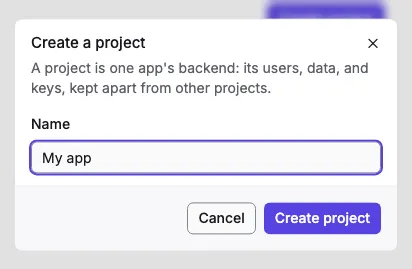
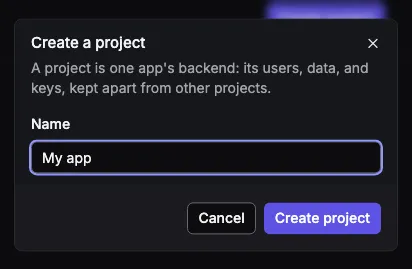
-
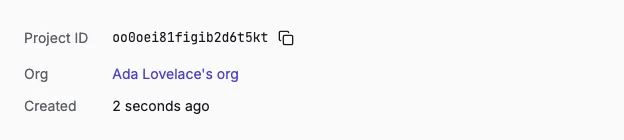
On the project’s overview, copy the Project ID. Your app sends it with every request.
-
Open Platforms and add one platform for each place your app runs. Select Add platform, pick the type, name it, enter its ID, and select Add platform. This app’s iOS bundle ID and Android package name are both
dev.orvano.quickstart.Keep the type Web and enter
localhostas the hostname. Browsers send the page’s origin with every call, and Orvano answers only your Web platforms’ origins.localhostcovers every port, so it coversflutter runon 5050.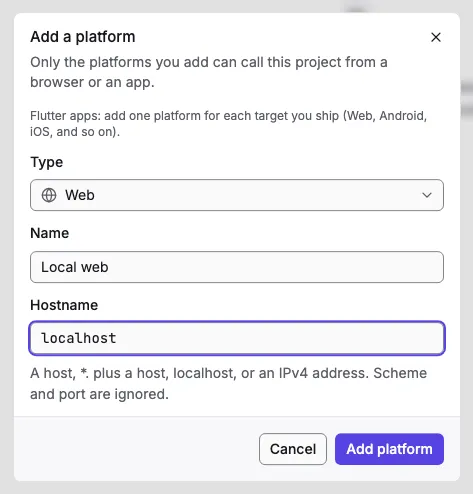
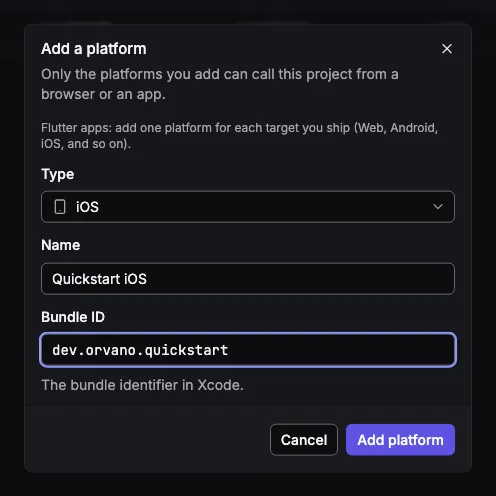
Pick the type iOS and enter the bundle ID
dev.orvano.quickstart.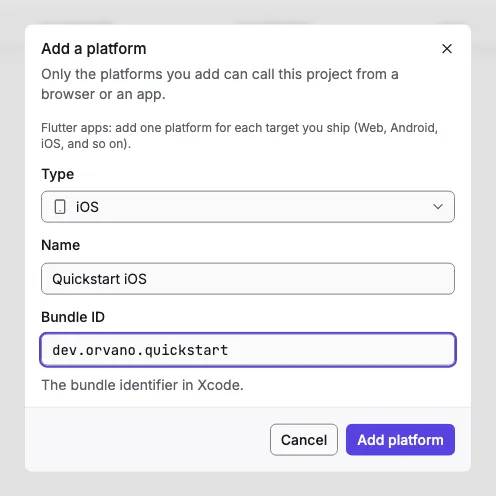
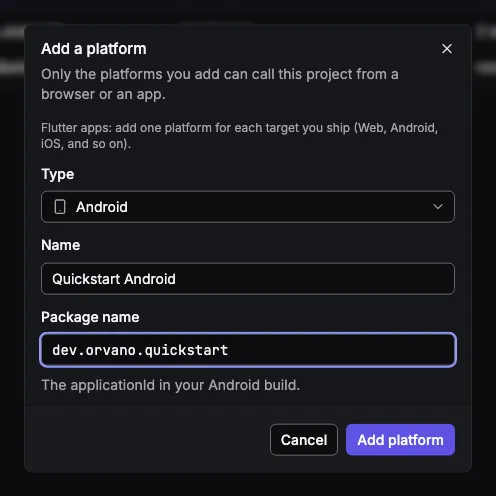
Pick the type Android and enter the package name
dev.orvano.quickstart.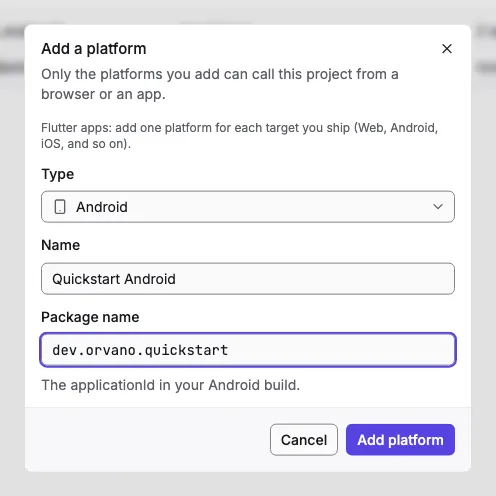
3. Create the app
Section titled “3. Create the app”Create the app with the same bundle ID and package name you registered, then add orvano_flutter, pinned to 0.2.0, the version of the Orvano you’re running:
flutter create --org dev.orvano --project-name quickstart --platforms web,ios,android flutter_quickstartcd flutter_quickstartflutter pub add orvano_flutter:0.2.0Your pubspec.yaml now has:
dependencies: flutter: sdk: flutter orvano_flutter: 0.2.0If you start from your own app instead, register its own bundle ID and package name in step 2.
4. Let the app reach your local Orvano
Section titled “4. Let the app reach your local Orvano”Your local Orvano answers on http://localhost:7700, plain HTTP. Each platform needs a small change to reach it while you develop.
Nothing to change. Run the app on port 5050 (step 7), which the Web platform localhost covers.
iOS allows only HTTPS unless you say otherwise. Add this to the <dict> in ios/Runner/Info.plist, which allows plain HTTP to local addresses only:
<!-- Lets the app call the local Orvano stack at http://localhost; every other host still needs HTTPS. --> <key>NSAppTransportSecurity</key> <dict> <key>NSAllowsLocalNetworking</key> <true/> </dict>The iOS simulator shares your Mac’s network, so localhost reaches Orvano directly.
Android allows only HTTPS unless you say otherwise. Allow plain HTTP to localhost in debug builds only: add this file,
<?xml version="1.0" encoding="utf-8"?><!-- Debug builds only: plain HTTP to the local Orvano stack at localhost (reached through `adb reverse`), and nowhere else. Release builds keep Android's default, HTTPS only. --><network-security-config> <domain-config cleartextTrafficPermitted="true"> <domain includeSubdomains="false">localhost</domain> </domain-config></network-security-config>and point the debug manifest at it:
<!-- Debug builds may talk plain HTTP to localhost; see res/xml/network_security_config.xml. --><application android:networkSecurityConfig="@xml/network_security_config" />The emulator’s own localhost is the emulator, not your computer. adb reverse forwards its port 7700 to yours, so the app reaches Orvano at the same http://localhost:7700 as everywhere else. Run it once each time the emulator starts:
adb reverse tcp:7700 tcp:7700Don’t use 10.0.2.2 instead: Orvano answers only on localhost.
5. Talk to Orvano
Section titled “5. Talk to Orvano”The app reads its settings at build time, from --dart-define flags:
/// Where Orvano runs: `--dart-define=ORVANO_ENDPOINT=...`, the local stack by/// default. On the Android emulator, `adb reverse` makes `localhost` reach it.const endpoint = String.fromEnvironment(  'ORVANO_ENDPOINT',  defaultValue: 'http://localhost:7700',);
/// Your project's ID, from its overview in the Orvano console:/// `--dart-define=ORVANO_PROJECT=...`.const project = String.fromEnvironment('ORVANO_PROJECT');
main makes one client for the whole app. createClient keeps the session in secure storage and refreshes it when the app comes back to the front, so a signed in user stays signed in:
Future<void> main() async {  WidgetsFlutterBinding.ensureInitialized();  if (project.isEmpty) {    throw StateError(      'Run with --dart-define=ORVANO_PROJECT=<your project ID>.',    );  }
  // One client for the whole app. It keeps the session in the platform's  // secure storage, and refreshes it when the app comes back to the front.  final orvano = Orvano(createClient(endpoint: endpoint, project: project));  runApp(QuickstartApp(orvano: orvano));}
The whole lib/main.dart
import 'package:flutter/material.dart';import 'package:orvano_flutter/orvano_flutter.dart';
import 'config.dart';import 'home.dart';
Future<void> main() async {  WidgetsFlutterBinding.ensureInitialized();  if (project.isEmpty) {    throw StateError(      'Run with --dart-define=ORVANO_PROJECT=<your project ID>.',    );  }
  // One client for the whole app. It keeps the session in the platform's  // secure storage, and refreshes it when the app comes back to the front.  final orvano = Orvano(createClient(endpoint: endpoint, project: project));  runApp(QuickstartApp(orvano: orvano));}
/// The quickstart app.class QuickstartApp extends StatelessWidget {  /// Creates the app around one Orvano client.  const QuickstartApp({super.key, required this.orvano});
  /// The Orvano client every screen uses.  final Orvano orvano;
  @override  Widget build(BuildContext context) => MaterialApp(    title: 'Orvano Flutter quickstart',    theme: ThemeData(colorSchemeSeed: Colors.indigo),    darkTheme: ThemeData(      colorSchemeSeed: Colors.indigo,      brightness: Brightness.dark,    ),    home: Home(orvano: orvano),  );}
6. Sign up, sign in, and sign out
Section titled “6. Sign up, sign in, and sign out”The home screen loads the signed in user when it opens. account.get throws a 401 when nobody is signed in, so it shows the forms then:
/// Loads the signed in user, or null when nobody is signed in.Future<void> _refresh() async { User? user; if (await widget.orvano.client.getSession() != null) { try { user = await widget.orvano.account.get(); } on OrvanoException catch (error) { if (error.status != 401) rethrow; } } if (!mounted) return; setState(() { _loading = false; _user = user; });}account.create and account.createPasswordSession sign the user in, and the client stores the new session. account.deleteCurrentSession ends it on Orvano and forgets it on the device:
/// Creates the user and signs them in; the client stores the session.Future<void> _signUp(String name, String email, String password) async {  await widget.orvano.account.create(    CreateAccountRequest(name: name, email: email, password: password),  );  await _refresh();}
/// Signs an existing user in with their email and password.Future<void> _signIn(String email, String password) async {  await widget.orvano.account.createPasswordSession(    CreatePasswordSessionRequest(email: email, password: password),  );  await _refresh();}
/// Ends this session on Orvano and forgets it on the device.Future<void> _signOut() async {  await widget.orvano.account.deleteCurrentSession();  await _refresh();}
When someone is signed in, the screen shows their name and email:
Text( "You're signed in", style: Theme.of(context).textTheme.headlineSmall,),const SizedBox(height: 8),Text('Name: ${user.name ?? 'No name'}'),Text('Email: ${user.email ?? ''}'),const SizedBox(height: 16),FilledButton( onPressed: _signOut, child: const Text('Sign out'),),The forms catch OrvanoException and show its message, like a taken email or a wrong password.
The whole lib/home.dart, with the forms
import 'package:flutter/material.dart';import 'package:orvano_flutter/orvano_flutter.dart';
/// Shows the signed in user, or the sign up and sign in forms.class Home extends StatefulWidget {  /// Creates the home screen.  const Home({super.key, required this.orvano});
  /// The app's Orvano client.  final Orvano orvano;
  @override  State<Home> createState() => _HomeState();}
class _HomeState extends State<Home> {  bool _loading = true;  User? _user;
  @override  void initState() {    super.initState();    _refresh();  }
  /// Loads the signed in user, or null when nobody is signed in.  Future<void> _refresh() async {    User? user;    if (await widget.orvano.client.getSession() != null) {      try {        user = await widget.orvano.account.get();      } on OrvanoException catch (error) {        if (error.status != 401) rethrow;      }    }    if (!mounted) return;    setState(() {      _loading = false;      _user = user;    });  }
  /// Creates the user and signs them in; the client stores the session.  Future<void> _signUp(String name, String email, String password) async {    await widget.orvano.account.create(      CreateAccountRequest(name: name, email: email, password: password),    );    await _refresh();  }
  /// Signs an existing user in with their email and password.  Future<void> _signIn(String email, String password) async {    await widget.orvano.account.createPasswordSession(      CreatePasswordSessionRequest(email: email, password: password),    );    await _refresh();  }
  /// Ends this session on Orvano and forgets it on the device.  Future<void> _signOut() async {    await widget.orvano.account.deleteCurrentSession();    await _refresh();  }
  @override  Widget build(BuildContext context) {    final user = _user;    return Scaffold(      appBar: AppBar(title: const Text('Orvano Flutter quickstart')),      body: SafeArea(        child: _loading            ? const Center(child: CircularProgressIndicator())            : ListView(                padding: const EdgeInsets.all(24),                children: user == null                    ? [                        AuthForm(                          title: 'Sign up',                          askName: true,                          onSubmit: (name, email, password) =>                              _signUp(name, email, password),                        ),                        const SizedBox(height: 32),                        AuthForm(                          title: 'Sign in',                          onSubmit: (_, email, password) =>                              _signIn(email, password),                        ),                      ]                    : [                        Text(                          "You're signed in",                          style: Theme.of(context).textTheme.headlineSmall,                        ),                        const SizedBox(height: 8),                        Text('Name: ${user.name ?? 'No name'}'),                        Text('Email: ${user.email ?? ''}'),                        const SizedBox(height: 16),                        FilledButton(                          onPressed: _signOut,                          child: const Text('Sign out'),                        ),                      ],              ),      ),    );  }}
/// A form with email and password fields (and a name, for sign up) that shows/// Orvano's message when the call fails, like a taken email or a wrong password.class AuthForm extends StatefulWidget {  /// Creates the form.  const AuthForm({    super.key,    required this.title,    required this.onSubmit,    this.askName = false,  });
  /// The heading and the button's label.  final String title;
  /// Whether the form has a name field.  final bool askName;
  /// Called with the name (empty without a name field), email, and password.  final Future<void> Function(String name, String email, String password)  onSubmit;
  @override  State<AuthForm> createState() => _AuthFormState();}
class _AuthFormState extends State<AuthForm> {  final _name = TextEditingController();  final _email = TextEditingController();  final _password = TextEditingController();  bool _busy = false;  String? _error;
  @override  void dispose() {    _name.dispose();    _email.dispose();    _password.dispose();    super.dispose();  }
  Future<void> _submit() async {    setState(() {      _busy = true;      _error = null;    });    try {      await widget.onSubmit(_name.text, _email.text, _password.text);    } on OrvanoException catch (error) {      if (mounted) setState(() => _error = error.message);    } finally {      if (mounted) setState(() => _busy = false);    }  }
  @override  Widget build(BuildContext context) => Column(    crossAxisAlignment: CrossAxisAlignment.stretch,    children: [      Text(widget.title, style: Theme.of(context).textTheme.titleLarge),      if (widget.askName)        TextField(          key: Key('${widget.title} name'),          controller: _name,          decoration: const InputDecoration(labelText: 'Name'),          autofillHints: const [AutofillHints.name],        ),      TextField(        key: Key('${widget.title} email'),        controller: _email,        decoration: const InputDecoration(labelText: 'Email'),        keyboardType: TextInputType.emailAddress,        autofillHints: const [AutofillHints.email],      ),      TextField(        key: Key('${widget.title} password'),        controller: _password,        decoration: const InputDecoration(labelText: 'Password'),        obscureText: true,      ),      const SizedBox(height: 12),      FilledButton(        key: Key('${widget.title} button'),        onPressed: _busy ? null : _submit,        child: Text(widget.title),      ),      if (_error case final error?)        Padding(          padding: const EdgeInsets.only(top: 8),          child: Text(            error,            style: TextStyle(color: Theme.of(context).colorScheme.error),          ),        ),    ],  );}
7. Try it
Section titled “7. Try it”Run the app with your project ID:
flutter run -d chrome --web-port 5050 --dart-define=ORVANO_PROJECT=your-project-idOpen a simulator first (open -a Simulator), then:
flutter run -d iPhone --dart-define=ORVANO_PROJECT=your-project-idStart an emulator and run adb reverse tcp:7700 tcp:7700 first, then:
flutter run -d emulator --dart-define=ORVANO_PROJECT=your-project-id- Fill in the Sign up form and select Sign up. You should see “You’re signed in” with your name and email.
- Restart the app. You should still be signed in: the session is in secure storage.
- Select Sign out. You should see the two forms again.
- Fill in the Sign in form with the same email and password. You should see your name and email again.
- Try signing in with a wrong password. You should see Orvano’s message under the form.
The new user is in the console too: open your project’s Users page.
- Send a verification email and read it in the local inbox: Email verification.
- Learn how the session is stored and refreshed: Users and sessions.
- See everything
orvano_fluttercan do: Flutter SDK.