
Next.js quickstart
You build a Next.js App Router app where people sign up with an email and a password, sign in, see their name and email, and sign out. It uses @orvano/nextjs 0.2.0: server actions sign people in, and the session lives in two cookies. It takes about ten minutes.
The finished app is examples/nextjs-quickstart in the Orvano repo. Every file below comes from it, and CI runs it on every change.
1. Start Orvano
Section titled “1. Start Orvano”If Orvano isn’t running on your machine yet, run these three commands. Run Orvano locally explains each one.
mkdir orvano-local && cd orvano-localdocker run --rm --user "$(id -u):$(id -g)" -v "$PWD:/install" ghcr.io/orvanohq/orvano:0.2.0 install --local --yesdocker compose up -d --waitmkdir orvano-local; cd orvano-localdocker run --rm -v "${PWD}:/install" ghcr.io/orvanohq/orvano:0.2.0 install --local --yesdocker compose up -d --waitYou should see every service report Healthy, and the console open at http://localhost:7700.
2. Set up your project in the console
Section titled “2. Set up your project in the console”-
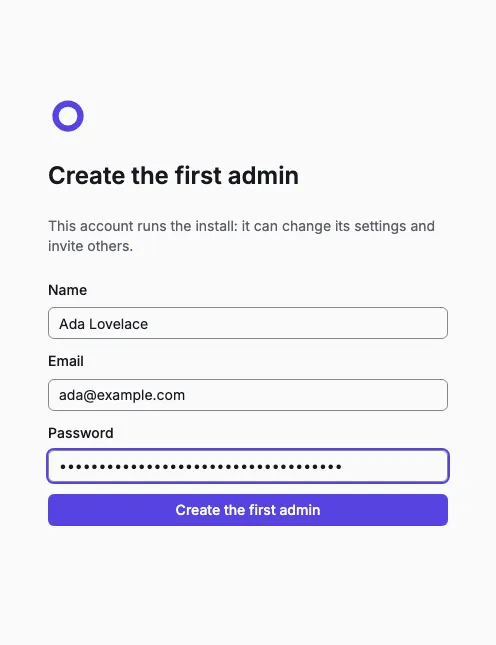
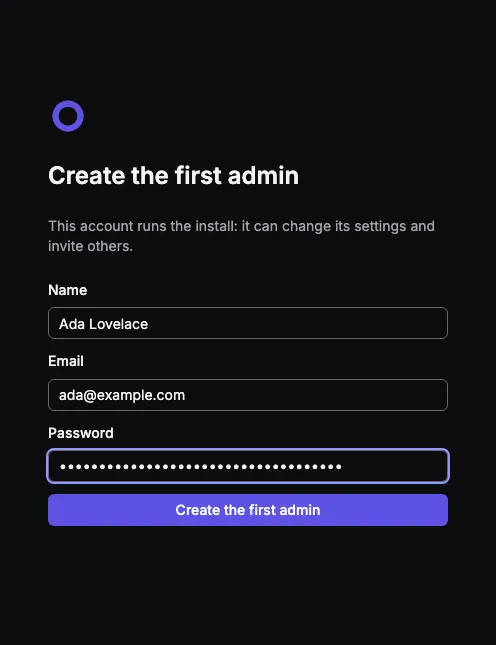
Open the setup link the installer printed and create the first admin. You land in your personal org.
-
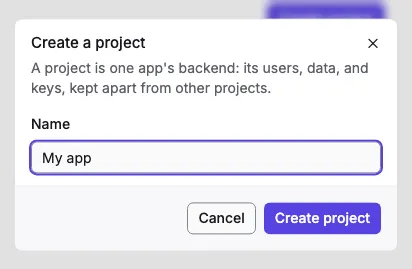
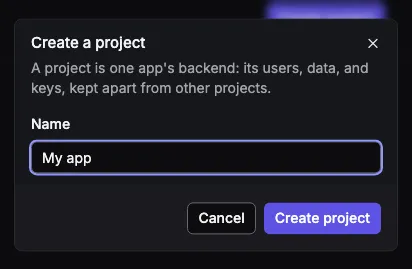
Select Create project, name it, and select Create project again. Setting it up takes a few seconds.
-
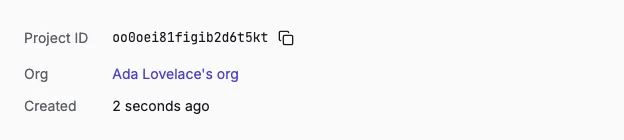
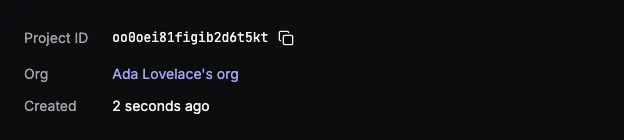
On the project’s overview, copy the Project ID. Your app sends it with every request.
-
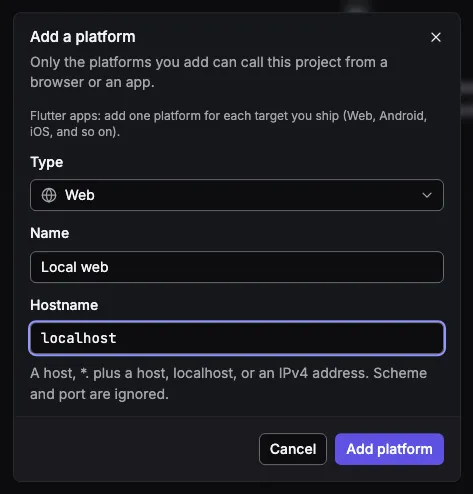
Open Platforms, select Add platform, keep the type Web, name it, enter
localhostas the hostname, and select Add platform. A web platform allows your app’s origin to call Orvano;localhostcovers every port, so it coversnext devon 3000.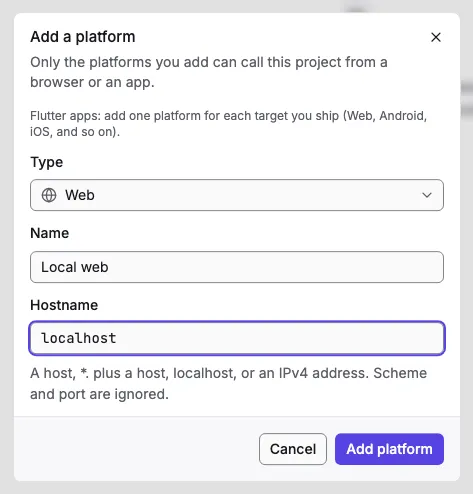
3. Create the app
Section titled “3. Create the app”Make a folder for the app with this package.json, then run npm install. It pins @orvano/nextjs to 0.2.0, the version of the Orvano you’re running.
{ "name": "nextjs-quickstart", "private": true, "version": "0.0.0", "description": "The finished app of the Orvano Next.js quickstart: https://orvano.dev/docs/quickstarts/nextjs/", "type": "module", "scripts": { "dev": "next dev --port 3000", "build": "next build", "start": "next start --port 3000" }, "dependencies": { "@orvano/nextjs": "0.2.0", "next": "16.3.6", "react": "^19.2.8", "react-dom": "^19.2.8" }, "devDependencies": { "@types/node": "^24.13.3", "@types/react": "^19.2.18", "@types/react-dom": "^19.2.7", "typescript": "~6.0.3" }}Also add tsconfig.json and next.config.ts
{ "compilerOptions": { "target": "es2022", "lib": ["ES2022", "DOM", "DOM.Iterable"], "module": "esnext", "moduleResolution": "bundler", "jsx": "react-jsx", "strict": true, "noEmit": true, "isolatedModules": true, "skipLibCheck": true, "resolveJsonModule": true, "incremental": true, "esModuleInterop": true, "plugins": [{ "name": "next" }], "paths": { "@/*": ["./*"] } }, "include": [ "next-env.d.ts", "**/*.ts", "**/*.tsx", ".next/types/**/*.ts", ".next/dev/types/**/*.ts" ], "exclude": ["node_modules"]}import type { NextConfig } from 'next'
const nextConfig: NextConfig = {}
export default nextConfig4. Add your settings
Section titled “4. Add your settings”Create .env.local with your Orvano server and the project ID you copied:
NEXT_PUBLIC_ORVANO_ENDPOINT=http://localhost:7700NEXT_PUBLIC_ORVANO_PROJECT=your-project-idThen read them in one place:
/** Your Orvano server, without `/v1`. */export const endpoint = process.env.NEXT_PUBLIC_ORVANO_ENDPOINT ?? 'http://localhost:7700'
/** Your project's ID, from the project's overview in the Orvano console. */export const project = process.env.NEXT_PUBLIC_ORVANO_PROJECT ?? ''if (project === '') throw new Error('Set NEXT_PUBLIC_ORVANO_PROJECT in .env.local.')
/** This app's own URL. On plain http://localhost the session cookies skip `Secure`. */export const appUrl = 'http://localhost:3000'
5. Talk to Orvano from the server
Section titled “5. Talk to Orvano from the server”createServerClient makes a client for one request. It reads the user’s session from the request’s cookies and, in server actions, writes a new session to them. currentUser answers null instead of throwing when nobody is signed in.
import { createServerClient, OrvanoError } from '@orvano/nextjs'import { cookies, headers } from 'next/headers'import { appUrl, endpoint, project } from './config'
/** An Orvano client for this request. The user's session lives in its cookies. */export async function orvano() {  return createServerClient({    endpoint,    project,    appUrl,    cookies: await cookies(),    requestHeaders: await headers(),  })}
/** The signed in user, or null when nobody is signed in. */export async function currentUser() {  try {    return await (await orvano()).account.get()  } catch (error) {    if (error instanceof OrvanoError && error.status === 401) return null    throw error  }}
The proxy runs before every page and refreshes the session when its access token is about to run out, so a signed in user stays signed in:
import { updateSession } from '@orvano/nextjs/server'import type { NextRequest } from 'next/server'import { endpoint, project } from './lib/config'
/** Refreshes the session before its access token runs out, on every page request. */export function proxy(request: NextRequest) {  return updateSession(request, { endpoint, project })}
export const config = {  matcher: ['/((?!_next/static|_next/image|favicon.ico).*)'],}
6. Sign up, sign in, and sign out
Section titled “6. Sign up, sign in, and sign out”Three server actions do the work. account.create and account.createPasswordSession sign the user in, and the client stores the new session in the cookies. When Orvano refuses (a taken email, a wrong password), the action returns its message for the form to show.
'use server'
import { OrvanoError } from '@orvano/nextjs'import { redirect } from 'next/navigation'import { orvano } from '@/lib/orvano'
/** What a form shows after a failed try. */export interface FormState {  error: string | null}
/** Creates the user and signs them in; Orvano sets the session cookies. */export async function signUp(_state: FormState, form: FormData): Promise<FormState> {  try {    await (      await orvano()    ).account.create({      name: field(form, 'name'),      email: field(form, 'email'),      password: field(form, 'password'),    })  } catch (error) {    return failed(error)  }  redirect('/')}
/** Signs an existing user in with their email and password. */export async function signIn(_state: FormState, form: FormData): Promise<FormState> {  try {    await (      await orvano()    ).account.createPasswordSession({      email: field(form, 'email'),      password: field(form, 'password'),    })  } catch (error) {    return failed(error)  }  redirect('/')}
/** Ends this session on Orvano and clears the cookies. */export async function signOut(): Promise<void> {  await (await orvano()).account.deleteCurrentSession()  redirect('/')}
function field(form: FormData, name: string): string {  const value = form.get(name)  return typeof value === 'string' ? value : ''}
/** Orvano's message for an expected failure (a taken email, a wrong password); anything else throws. */function failed(error: unknown): FormState {  if (error instanceof OrvanoError) return { error: error.message }  throw error}
The forms are a client component, so they can show that message:
'use client'
import { useActionState } from 'react'import { signIn, signUp, type FormState } from './actions'
const ready: FormState = { error: null }
/** A sign up form and a sign in form, each showing Orvano's message when it fails. */export function AuthForms() {  const [signUpState, signUpAction, signingUp] = useActionState(signUp, ready)  const [signInState, signInAction, signingIn] = useActionState(signIn, ready)
  return (    <>      <h1>Orvano Next.js quickstart</h1>      <form action={signUpAction} aria-labelledby="sign-up">        <h2 id="sign-up">Sign up</h2>        <label>          Name <input name="name" autoComplete="name" />        </label>        <label>          Email <input name="email" type="email" autoComplete="email" required />        </label>        <label>          Password <input name="password" type="password" autoComplete="new-password" required />        </label>        <button type="submit" disabled={signingUp}>          Sign up        </button>        {signUpState.error !== null && <p role="alert">{signUpState.error}</p>}      </form>
      <form action={signInAction} aria-labelledby="sign-in">        <h2 id="sign-in">Sign in</h2>        <label>          Email <input name="email" type="email" autoComplete="email" required />        </label>        <label>          Password{' '}          <input name="password" type="password" autoComplete="current-password" required />        </label>        <button type="submit" disabled={signingIn}>          Sign in        </button>        {signInState.error !== null && <p role="alert">{signInState.error}</p>}      </form>    </>  )}
The page shows the signed in user, or the forms:
import { currentUser } from '@/lib/orvano'import { signOut } from './actions'import { AuthForms } from './auth-forms'
/** Shows the signed in user, or the sign up and sign in forms. */export default async function Home() {  const user = await currentUser()  if (user === null) return <AuthForms />
  return (    <section aria-labelledby="signed-in">      <h1 id="signed-in">You're signed in</h1>      <p>Name: {user.name ?? 'No name'}</p>      <p>Email: {user.email}</p>      <form action={signOut}>        <button type="submit">Sign out</button>      </form>    </section>  )}
Also add app/layout.tsx and app/globals.css
import type { Metadata } from 'next'import type { ReactNode } from 'react'import './globals.css'
export const metadata: Metadata = {  title: 'Orvano Next.js quickstart',}
export default function RootLayout({ children }: { children: ReactNode }) { return ( <html lang="en"> <body> <main>{children}</main> </body> </html> )}:root { color-scheme: light dark; font-family: system-ui, sans-serif;}
main { max-width: 28rem; margin: 3rem auto; padding: 0 1rem;}
form { display: grid; gap: 0.75rem; margin-block: 2rem;}
label { display: grid; gap: 0.25rem;}
input,button { font: inherit; padding: 0.5rem 0.75rem;}
[role='alert'] { color: #b42318;}7. Try it
Section titled “7. Try it”Run npm run dev and open http://localhost:3000.
- Fill in the Sign up form and select Sign up. You should see “You’re signed in” with your name and email.
- Reload the page. You should still be signed in: the session is in the cookies.
- Select Sign out. You should see the two forms again.
- Fill in the Sign in form with the same email and password. You should see your name and email again.
- Try signing in with a wrong password. You should see Orvano’s message under the form.
The new user is in the console too: open your project’s Users page.
- Send a verification email and read it in the local inbox: Email verification.
- Learn what the session cookies hold: Users and sessions.
- See everything
@orvano/nextjscan do: Next.js SDK.