
Dart server quickstart
You build a small HTTP server with shelf whose GET /me reads a user’s access token, checks it with orvano_dart 0.2.0, and answers with that user. You also write a command that creates a user with a server API key. This is the pattern for any backend of yours that sits next to an app signing users in with Orvano. It takes about ten minutes.
The finished app is examples/dart-quickstart in the Orvano repo. Every file below comes from it, and CI runs it on every change.
1. Start Orvano
Section titled “1. Start Orvano”If Orvano isn’t running on your machine yet, run these three commands. Run Orvano locally explains each one.
mkdir orvano-local && cd orvano-localdocker run --rm --user "$(id -u):$(id -g)" -v "$PWD:/install" ghcr.io/orvanohq/orvano:0.2.0 install --local --yesdocker compose up -d --waitmkdir orvano-local; cd orvano-localdocker run --rm -v "${PWD}:/install" ghcr.io/orvanohq/orvano:0.2.0 install --local --yesdocker compose up -d --waitYou should see every service report Healthy, and the console open at http://localhost:7700.
2. Set up your project in the console
Section titled “2. Set up your project in the console”-
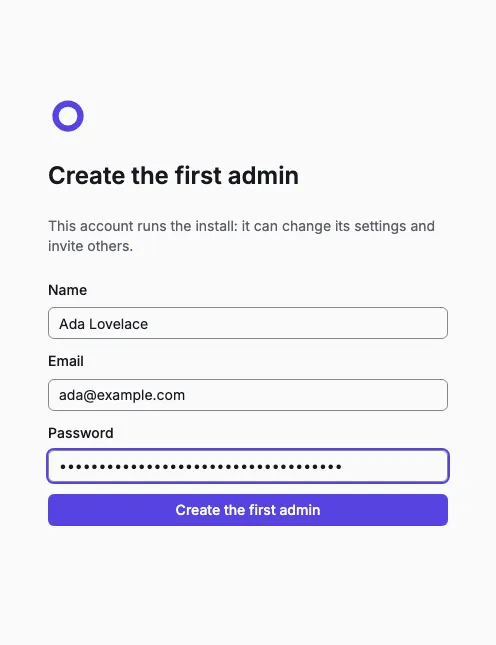
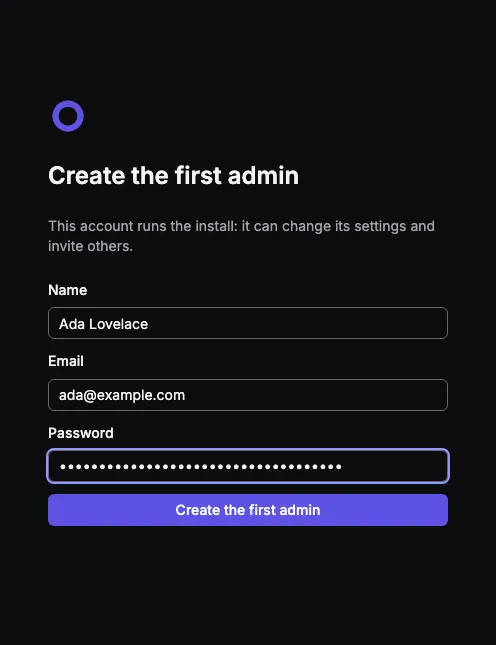
Open the setup link the installer printed and create the first admin. You land in your personal org.
-
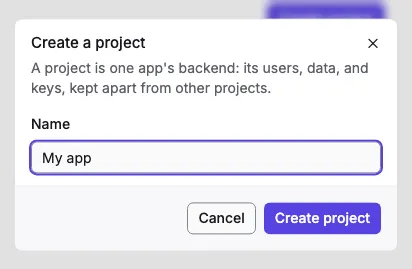
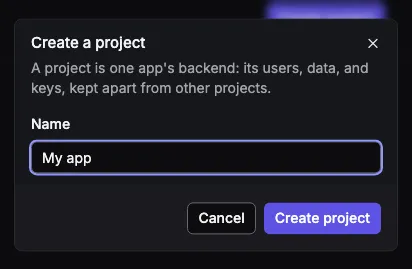
Select Create project, name it, and select Create project again. Setting it up takes a few seconds.
-
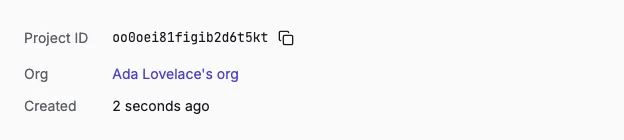
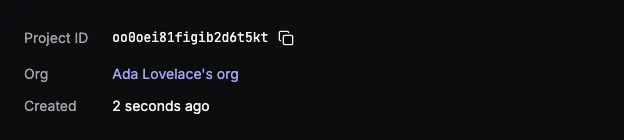
On the project’s overview, copy the Project ID.
-
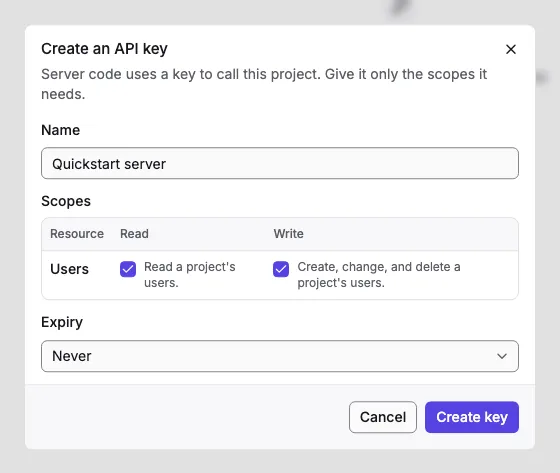
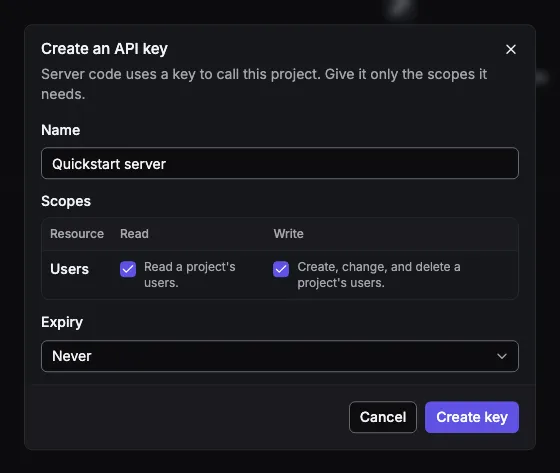
Open API keys and select Create key. Name it, tick the scopes Users read and Users write, and select Create key. Copy the key it shows: you only see it once. A key can do only what its scopes allow, so this one can read and create users and nothing else.
3. Create the server
Section titled “3. Create the server”Make a folder with this pubspec.yaml, then run dart pub get. It pins orvano_dart to 0.2.0, the version of the Orvano you’re running.
dependencies: orvano_dart: 0.2.0 shelf: ^1.4.2The whole pubspec.yaml and analysis_options.yaml
# The finished app of the Orvano Dart server quickstart: https://orvano.dev/docs/quickstarts/dart/name: dart_quickstartdescription: An HTTP server that checks an Orvano user's access token and answers with the user.publish_to: none
environment:  sdk: ^3.8.0
dependencies:  orvano_dart: 0.2.0  shelf: ^1.4.2
dev_dependencies: lints: ^6.1.0include: package:lints/recommended.yaml4. Add your settings
Section titled “4. Add your settings”The server reads its settings from the environment, so the API key never sits in your code or your repo. Set them in the terminal you run the server from, with your project ID and the key you copied:
export ORVANO_ENDPOINT=http://localhost:7700export ORVANO_PROJECT=your-project-idexport ORVANO_API_KEY=your-api-key$env:ORVANO_ENDPOINT = "http://localhost:7700"$env:ORVANO_PROJECT = "your-project-id"$env:ORVANO_API_KEY = "your-api-key"5. Talk to Orvano
Section titled “5. Talk to Orvano”Make one client for the server. It sends the API key with every call, and it checks access tokens against your project’s public keys, which it caches for 10 minutes:
import 'dart:io';
import 'package:orvano_dart/orvano_dart.dart';
/// The server client. It sends your API key with every call and checks your/// users' access tokens against the project's public keys.final client = Client(  endpoint: _setting('ORVANO_ENDPOINT', fallback: 'http://localhost:7700'),  project: _setting('ORVANO_PROJECT'),  apiKey: _setting('ORVANO_API_KEY'),);
/// Every server operation, grouped by service: `orvano.users.get(...)`.final orvano = Orvano(client);
/// Reads a setting from the environment, so the API key never sits in code.String _setting(String name, {String? fallback}) {  final value = Platform.environment[name] ?? fallback ?? '';  if (value.isEmpty) throw StateError('Set the $name environment variable.');  return value;}
6. Create a user
Section titled “6. Create a user”On a server, you create users with the API key, for example when you import them from another system. This command creates one; it runs on your machine and is never an open HTTP route:
/// Creates a user with the API key:/// `dart run bin/create_user.dart <email> <password> [name]`.Future<void> main(List<String> args) async {  if (args.length < 2) {    stderr.writeln(      'Usage: dart run bin/create_user.dart <email> <password> [name]',    );    exitCode = 64;    return;  }
  try {    final user = await orvano.users.create(      CreateUserRequest(        email: args[0],        password: args[1],        name: args.length > 2 ? args[2] : null,      ),    );    print('Created user ${user.id} (${user.email}).');  } on OrvanoException catch (error) {    stderr.writeln('Orvano refused: ${error.message} (${error.code})');    exitCode = 1;  } finally {    client.close();  }}
Run it:
dart run bin/create_user.dart ada@example.com 'a long password' 'Ada Lovelace'You should see Created user with the new user’s ID. The user is in the console too, on your project’s Users page.
7. Check a user’s token on your server
Section titled “7. Check a user’s token on your server”GET /me reads the token from Authorization: Bearer <token>. verifyAccessToken checks its signature, its project, and its expiry, and answers with the user’s ID, so the server loads the user with users.get. A missing or bad token gets 401.
/// `GET /me`: checks the access token in `Authorization: Bearer <token>`, then/// answers with the user it belongs to. A missing or bad token gets 401.Future<Response> me(Request request) async {  final header = request.headers['authorization'] ?? '';  if (!header.startsWith('Bearer ')) return _unauthorized();
  try {    // Checks the signature, the project, and the expiry, without a call to    // Orvano once the project's public keys are cached.    final token = await client.verifyAccessToken(      header.substring('Bearer '.length),    );    final user = await orvano.users.get(token.userId);    return Response.ok(      jsonEncode({'id': user.id, 'email': user.email, 'name': user.name}),      headers: {'content-type': 'application/json'},    );  } on OrvanoException catch (error) {    // invalid_token or token_expired; anything else is a real failure.    if (error.status != 401) rethrow;    return _unauthorized();  }}
Response _unauthorized() => Response.unauthorized(  jsonEncode({'error': 'Send a valid access token.'}),  headers: {'content-type': 'application/json', 'www-authenticate': 'Bearer'},);
The whole bin/server.dart
import 'dart:convert';import 'dart:io';
import 'package:dart_quickstart/orvano.dart';import 'package:orvano_dart/orvano_dart.dart';import 'package:shelf/shelf.dart';import 'package:shelf/shelf_io.dart' as shelf_io;
Future<void> main() async {  // Dart creates `client` the first time it's used. Using it here reads the  // settings now, so a missing one stops the server before it listens.  print('Orvano project: ${client.project}');  final server = await shelf_io.serve(    _route,    InternetAddress.loopbackIPv4,    3001,  );  print('Listening on http://localhost:${server.port}');}
Future<Response> _route(Request request) async {  if (request.method == 'GET' && request.url.path == 'me') return me(request);  return Response.notFound('Not found');}
/// `GET /me`: checks the access token in `Authorization: Bearer <token>`, then/// answers with the user it belongs to. A missing or bad token gets 401.Future<Response> me(Request request) async {  final header = request.headers['authorization'] ?? '';  if (!header.startsWith('Bearer ')) return _unauthorized();
  try {    // Checks the signature, the project, and the expiry, without a call to    // Orvano once the project's public keys are cached.    final token = await client.verifyAccessToken(      header.substring('Bearer '.length),    );    final user = await orvano.users.get(token.userId);    return Response.ok(      jsonEncode({'id': user.id, 'email': user.email, 'name': user.name}),      headers: {'content-type': 'application/json'},    );  } on OrvanoException catch (error) {    // invalid_token or token_expired; anything else is a real failure.    if (error.status != 401) rethrow;    return _unauthorized();  }}
Response _unauthorized() => Response.unauthorized(  jsonEncode({'error': 'Send a valid access token.'}),  headers: {'content-type': 'application/json', 'www-authenticate': 'Bearer'},);
8. Try it
Section titled “8. Try it”Start the server with dart run bin/server.dart. You should see Listening on http://localhost:3001.
In another terminal (with the same settings), sign in as the user you created to get an access token, the way an app’s sign in would, and call /me with it:
curl -s http://localhost:7700/v1/account/sessions/password \  -H "X-Orvano-Project: $ORVANO_PROJECT" -H "Content-Type: application/json" \  -d '{"email":"ada@example.com","password":"a long password"}'
# Copy session.accessToken from the answer, then:TOKEN=paste-the-access-token-herecurl -i http://localhost:3001/me -H "Authorization: Bearer $TOKEN"$session = (Invoke-RestMethod -Method Post -Uri http://localhost:7700/v1/account/sessions/password ` -Headers @{ "X-Orvano-Project" = $env:ORVANO_PROJECT } -ContentType "application/json" ` -Body '{"email":"ada@example.com","password":"a long password"}').sessionInvoke-RestMethod -Uri http://localhost:3001/me ` -Headers @{ Authorization = "Bearer $($session.accessToken)" }- You should see
200 OKand the user’s ID, email, and name. - Call
/meagain without theAuthorizationheader. You should see401 Unauthorized. - Change one character of the token and call it again. You should see
401again: the signature no longer matches.
Access tokens last 15 minutes. In a real app, the client SDK refreshes the session and sends a fresh token with each call.
- Learn what a token proves, and when to ask Orvano instead: Verify tokens on your server.
- List, block, and delete users from your server: Manage users with an API key.
- See everything
orvano_dartcan do: Dart server SDK.