
Team members and roles
Everyone in an org has one role, which applies to all of the org’s projects:
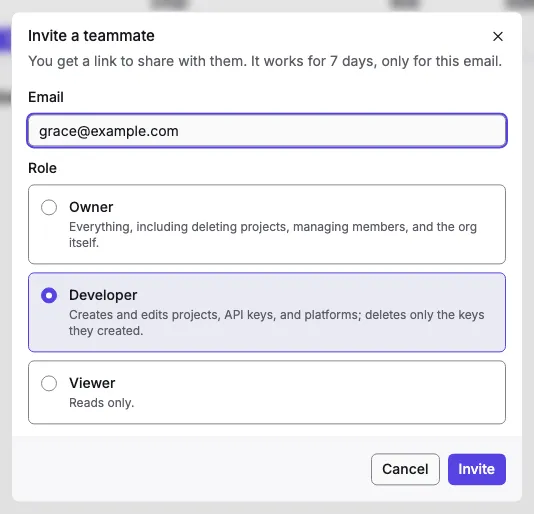
| Owner | Developer | Viewer | |
|---|---|---|---|
| See the org, its projects, members, keys, and platforms | yes | yes | yes |
| Create and edit projects, retry a failed setup | yes | yes | no |
| Delete or restore a project | yes | no | no |
| Create API keys | yes | yes | no |
| Delete API keys | any | only their own | no |
| Add, edit, and delete platforms | yes | yes | no |
| Edit email settings and templates | yes | yes | no |
| Invite and remove members, change roles | yes | no | no |
| Rename, delete, or restore the org | yes | no | no |
Invite someone
Section titled “Invite someone”-
In the org, open Members and select Invite. Only owners can.
-
Enter their email, choose a role, and select Invite.
-
Copy the invite link and send it to them. The console shows it once. If the install has an email server, Orvano also emails it.
The link works once, for 7 days, and only for that email: the person signs in or creates an account with that address, then selects Join. Pending invites are listed under Pending invitations, where you can Resend one (which makes a new link and stops the old one) or Revoke it. An org can have at most 100 open invites.
Change a role or remove someone
Section titled “Change a role or remove someone”Use the menu on a member’s row: Change role or Remove. Removing someone takes effect on their next request. API keys they created keep working until you delete them.
Anyone can leave an org from the same menu with Leave org. An org always keeps at least one owner: the last owner can’t leave, be removed, or become a developer or viewer (last_owner). Make someone else an owner first.